
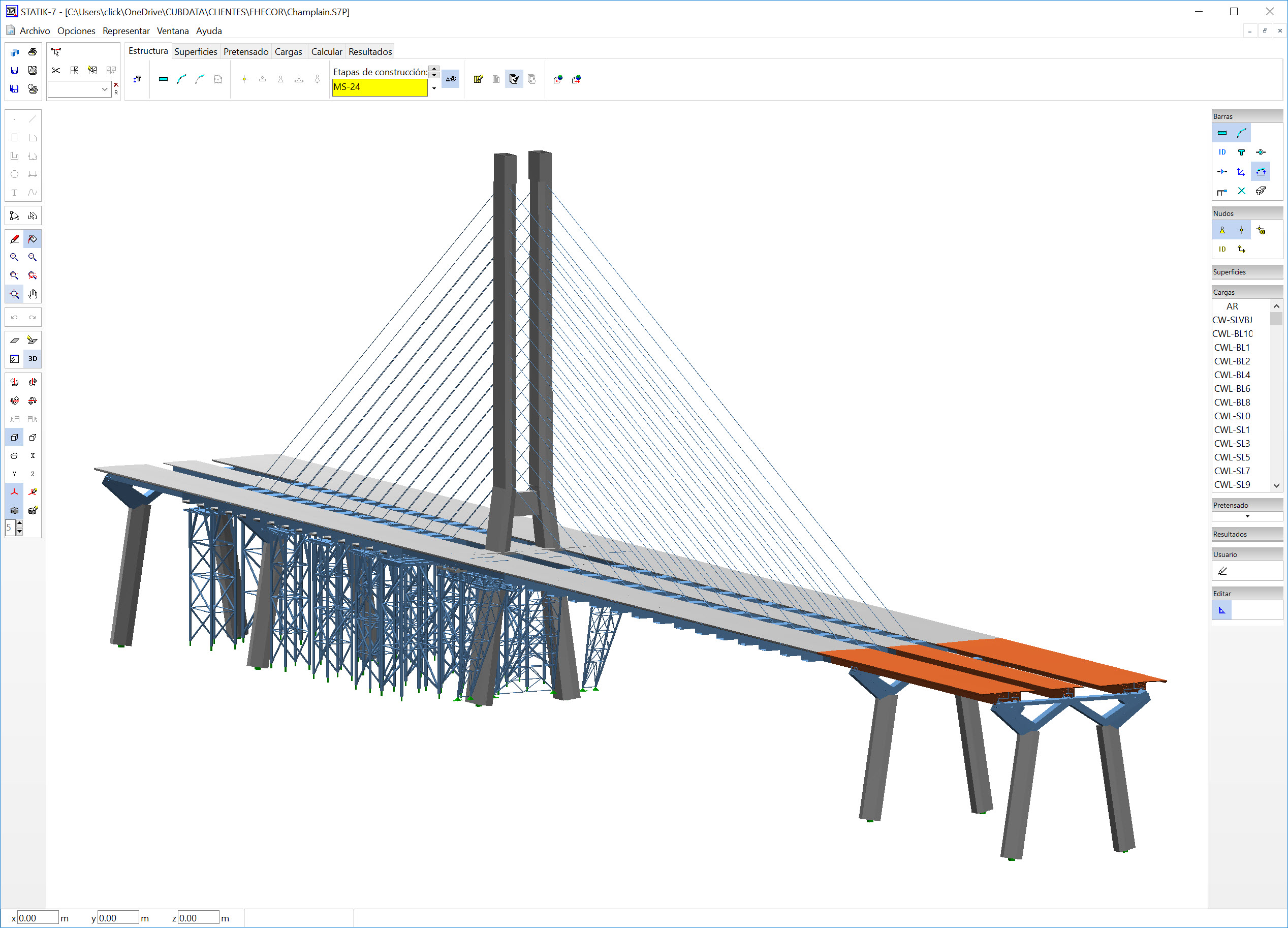
Comprehensive Learning
Gain in-depth knowledge of structural engineering software for accurate calculations.
.jpg)
Practical Application
Apply software skills to real-world projects in bridge and building design.
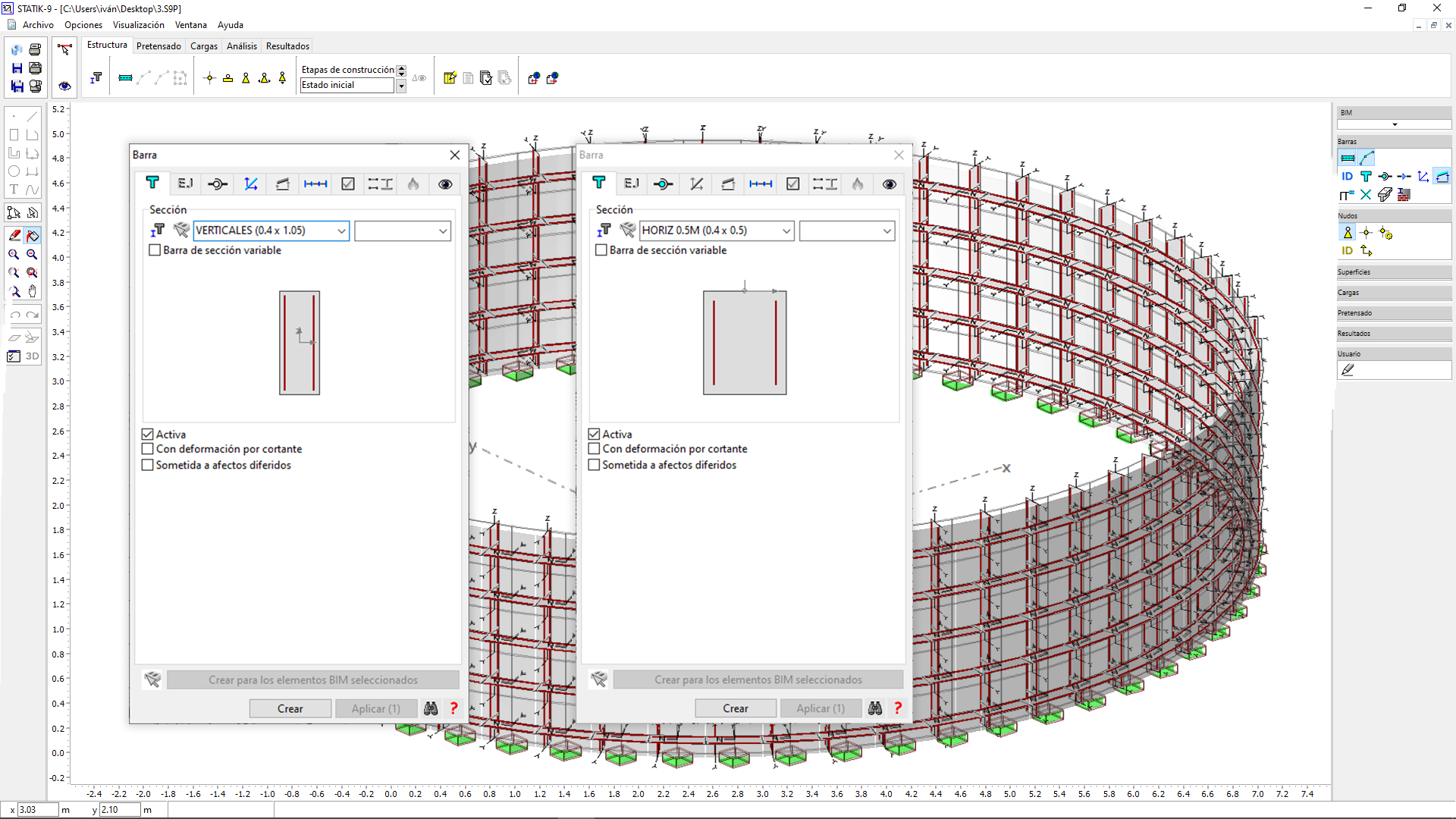
Expert Guidance
Learn from industry professionals with years of experience in structural engineering.
About the Course
This course provides a structured introduction to working with STATIK in a professional engineering environment. It is designed for engineers who need to learn how to model structural systems, define loads and perform global structural analysis using STATIK as part of their company’s daily workflow. The course explains the logic behind the software, common modelling strategies and typical sources of errors, helping users understand not only what to define, but why it must be defined that way. Through step-by-step examples, engineers learn how to build reliable models and interpret results with confidence, developing the foundation required to work effectively with STATIK in real projects.
Language and course format
The software interface shown throughout the course is in Spanish, as it reflects the original working environment used in professional projects. The course content is delivered in English through high-quality AI voice-over, carefully synchronised with the original explanations to ensure clarity and technical accuracy. This approach allows international engineers to access the same technical training and real workflows, while maintaining full consistency with the original course content. All concepts, examples and engineering criteria are identical to the Spanish version of the course.
Who is this course for?
This course is designed for engineers who need to learn how to work with STATIK in a professional environment. It is especially suitable for: · Engineers whose company uses STATIK for structural modelling and analysis · Professionals who want to become operational with STATIK step by step · Engineers joining teams where STATIK is part of the standard analysis workflow · Users who want to understand how to model structures correctly and interpret results reliably The course is also suitable for students who will encounter STATIK in their future professional practice. These courses are designed to help engineers become productive with Cubus software in real professional environments.
What will you learn?
By completing this course, you will be able to: · create reliable 2D and 3D structural models in STATIK · define cross-sections, members, nodes and supports · introduce and manage different types of loads and load combinations · understand how STATIK solves structures internally · detect and avoid common stability and modelling issues · use influence lines and load hypothesis generators · analyse first and second order structural behaviour · generate and interpret envelopes (ULS, SLS) · visualize results, export data and document models effectively This course emphasises both software proficiency and engineering judgement so that STATIK becomes a true engineering tool rather than a black box.
Curriculum
-
1
-
1.1.- PRESENTATION. STATIK WITHIN THE CUBUS PROGRAMS Free preview
-
1.2.- WHAT IS STATIK. DESCRIPTION OF MODULES Free preview
-
1.3.- LET-S MAKE A SIMPLE ANALYSIS. INTERFACE Free preview
-
1.4.- CUBUS EXPLORER AND THE WORKING DIRECTORY Free preview
-
1.5.- LET-S MAKE A SIMPLE ANALYSIS. TABS Free preview
-
1.6.- EXAMPLE 1.- 2D FRAME. EXPLORER AND STATEMENT Free preview
-
1.7.- EXAMPLE 1.- 2D FRAME. SECTIONS AND MEMBERS Free preview
-
1.8.A - 2D SECTION DIMENSIONS QUIZ Free preview
-
1.8.B - QUIZ. 2D SECTION DIMENSIONS Free preview
-
1.9.- QUIZ ANSWER. 2D SECTION DIMENSIONS Free preview
-
(Included in full purchase)
1.10.- EXAMPLE 1.- 2D FRAME. NODES, SUPPORTS AND LOADS
-
(Included in full purchase)
1.11.- EXAMPLE 1.- 2D FRAME. RESULTS
-
(Included in full purchase)
1.12.- EXAMPLE 1.- 2D FRAME. RESULTS. IMPORTANCE OF ELASTIC MODULUS
-
(Included in full purchase)
1.13.- EXAMPLE 2.- TRUSS FRAME. STATEMENT, SECTIONS AND MEMBERS
-
(Included in full purchase)
1.14.- EXAMPLE 2.- TRUSS FRAME. MODIFY AN EXISTING STRUCTURE
-
(Included in full purchase)
1.15.- EXAMPLE 2.- TRUSS FRAME. ANNOTATE
-
(Included in full purchase)
1.16.- EXAMPLE 2.- TRUSS FRAME. DOCUMENT
-
(Included in full purchase)
1.17.- EXAMPLE 2.- TRUSS FRAME. LOADS. SELF-WEIGHT
-
(Included in full purchase)
1.18.- EXAMPLE 2.- TRUSS FRAME. DEAD LOAD AND SNOW
-
(Included in full purchase)
1.19.- EXAMPLE 2.- TRUSS FRAME. WIND LOADS
-
(Included in full purchase)
1.20.- EXAMPLE 2.- TRUSS FRAME. PARTIAL SYSTEMS (i)
-
(Included in full purchase)
1.21.- EXAMPLE 2.- TRUSS FRAME. PARTIAL SYSTEMS (ii)
-
(Included in full purchase)
1.22.- EXAMPLE 2.- TRUSS FRAME. ENVELOPES AND CONCOMITANT
-
(Included in full purchase)
1.23.- EXAMPLE 2.- TRUSS FRAME. INTERMEDIATE RESULTS
-
(Included in full purchase)
1.24.- EXAMPLE 2.- TRUSS FRAME. ANALYZING A RESULT (i)
-
(Included in full purchase)
1.25.- EXAMPLE 2.- TRUSS FRAME. ANALYZING A RESULT (ii)
-
(Included in full purchase)
1.26.- EXAMPLE 2.- TRUSS FRAME. VISUALIZE GOVERNING LOAD SCENARIOS
-
(Included in full purchase)
1.27.- EXAMPLE 2.- TRUSS FRAME. LABEL RESULTS
-
(Included in full purchase)
1.28.- EXAMPLE 2.- TRUSS FRAME. ANALYSIS TAB. COMBINED RESULTS (i)
-
(Included in full purchase)
1.29.- EXAMPLE 2.- TRUSS FRAME. ANALYSIS TAB. COMBINED RESULTS (ii)
-
(Included in full purchase)
1.30.- EXAMPLE 2.- TRUSS FRAME. ANALYSIS TAB. ACTIONS AND ENVELOPES
-
(Included in full purchase)
1.31.- EXAMPLE 2.- TRUSS FRAME. RESULT LAYERS
-
(Included in full purchase)
1.32.- EXAMPLE 3.- 3D STRUCTURE. STATEMENT
-
(Included in full purchase)
1.33.- EXAMPLE 3.- 3D STRUCTURE 3D. FIRST FRAME (i)
-
(Included in full purchase)
1.34.- EXAMPLE 3.- 3D STRUCTURE 3D. FIRST FRAME (ii)
-
(Included in full purchase)
1.35.- EXAMPLE 3.- 3D STRUCTURE. REST OF WORK PLANES
-
(Included in full purchase)
1.36.- EXAMPLE 3.- 3D STRUCTURE. COMPLETING THE STRUCTURE (i)
-
(Included in full purchase)
1.37.- EXAMPLE 3.- 3D STRUCTURE. COMPLETING THE STRUCTURE (ii)
-
(Included in full purchase)
1.38.- EXAMPLE 3.- 3D STRUCTURE. SURFACES
-
(Included in full purchase)
1.39.- EXAMPLE 3.- 3D STRUCTURE. SURFACE LOADS (i)
-
(Included in full purchase)
1.40.- EXAMPLE 3.- 3D STRUCTURE. SURFACE LOADS (ii)
-
(Included in full purchase)
1.41.- EXAMPLE 3.- 3D STRUCTURE. RESULTS
-
-
2
-
(Included in full purchase)
2.1.- CONSIDERATIONS FOR MAKING CORRECT MODELS
-
(Included in full purchase)
2.2.- HOW DOES STATIK SOLVE STRUCTURES
-
(Included in full purchase)
2.3.- TYPES OF INSTABILITY
-
(Included in full purchase)
2.4.- A) THERE IS NOT ENOUGH SUPPORT
-
(Included in full purchase)
2.5.- B) THERE ARE TOO MANY HINGES
-
(Included in full purchase)
2.6.- C) ENDS OF UNCONNECTED MEMBERS (i)
-
(Included in full purchase)
2.7.- C) ENDS OF UNCONNECTED MEMBERS (ii)
-
(Included in full purchase)
2.8.- D) INSTABILITIES IN NODES
-
(Included in full purchase)
2.9.- E) INSTABILITY IN SECOND-ORDER ANALYSIS AND F) NUMERICAL PROBLEMS
-
(Included in full purchase)
2.10.- MISCELLANEOUS UTILITIES LAYERS
-
(Included in full purchase)
2.11.- MISCELLANEOUS UTILITIES MENU
-
(Included in full purchase)
2.12.- AUTOMATIC REPORT UPDATE
-
(Included in full purchase)
2.13.- SUBSYSTEMS AND FILTERS
-
(Included in full purchase)
2.14.- THE STRUCTURES TAB. SECTIONS
-
(Included in full purchase)
2.15.- EXCEL AND PARAMETERIZED SECTIONS
-
(Included in full purchase)
2.16.- MEMBERS. MEMBER LINE. MEMBER AXIS. INTERSECTIONS
-
(Included in full purchase)
2.17.- THE AXIS OF THE MEMBER AND THE LOCAL COORDINATE SYSTE
-
(Included in full purchase)
2.18.- SUBDIVIDING AND INTERSECTING MEMBERS (i)
-
(Included in full purchase)
2.19.- SUBDIVIDING AND INTERSECTING MEMBERS (ii)
-
(Included in full purchase)
2.20.- THE MEMBER AND ITS TABS. DESCRIPTION
-
(Included in full purchase)
2.21.- MEMBER. SECTIONS (i)
-
(Included in full purchase)
2.22.- MEMBER. SECTIONS (ii) AXES AND VARIABLE DEPTH
-
(Included in full purchase)
2.23.A- AXES AND VARIABLE DEPTH QUIZ
-
(Included in full purchase)
2.23 B.- QUIZ. AXES AND VARIABLE DEPTH
-
(Included in full purchase)
2.24.- ANSWER QUIZ AXES AND VARIABLE DEPTH
-
(Included in full purchase)
2.25.- MEMBER. SECTIONS (iii) AXES AND CONSTRUCTION STAGES
-
(Included in full purchase)
2.26.- MEMBER. SECTIONS (iv) OTHER FIELDS
-
(Included in full purchase)
2.27.- MEMBER. MODIFYING THE STIFFNESS OF THE SECTIONS
-
(Included in full purchase)
2.28.- MEMBER. MODIFYING SECTION STIFFNESS. APPLICATION TO STATIK (I)
-
(Included in full purchase)
2.29.- MEMBER. MODIFYING SECTION STIFFNESS. APPLICATION TO STATIK (II)
-
(Included in full purchase)
2.30.A- AXIAL STIFFNESS QUIZ
-
(Included in full purchase)
2.30 B – QUIZ: AXIAL STIFFNESS
-
(Included in full purchase)
2.31.- QUIZ AXIAL STIFFNESS ANSWER
-
(Included in full purchase)
2.32.- MEMBER. END CONSTRAINT. HINGES
-
(Included in full purchase)
2.33.- MEMBER. TRUSS FRAME HINGES. EXAMPLE
-
(Included in full purchase)
2.34.- MEMBER. MEMBER ORIENTATION
-
(Included in full purchase)
2.35.- MEMBER. ECCENTRICITIES IN GLOBAL COORDINATES
-
(Included in full purchase)
2.36.- MEMBER. ECCENTRICITIES IN GLOBAL COORDINATES. EXAMPLE
-
(Included in full purchase)
2.37.- MEMBER. ECCENTRICITIES IN LOCAL COORDINATES.
-
(Included in full purchase)
2.38.- MEMBER. ECCENTRICITIES IN LOCAL COORDINATES. EXAMPLE
-
(Included in full purchase)
2.39.A- QUIZ ECCENTRICITIES
-
(Included in full purchase)
2.39 B.- QUIZ. ECCENTRICITIES
-
(Included in full purchase)
2.40.- QUIZ. ECCENTRICITIES. ANSWER
-
(Included in full purchase)
2.41.- MEMBER. DIMENSIONING SECTIONS
-
(Included in full purchase)
2.42.- MEMBERS. MISCELLANEOUS OF PROPERTIES
-
2.43.- MEMBERS. ELASTIC MEMBER SUPPORTS Free preview
-
(Included in full purchase)
2.44.- MEMBERS. NON-LINEAR SUPPORTS. NON-LINEAR ELASTIC SUPPORTS
-
(Included in full purchase)
2.45 A- QUIZ. NON-LINEAR ELASTIC SUPPORTS
-
(Included in full purchase)
2.45 B.- QUIZ. MON LINEAR ELASTIC SUPPORTS
-
(Included in full purchase)
2.46.- ANSWER QUIZ NON-LINEAR ELASTIC SUPPORTS
-
(Included in full purchase)
2.47.- REST OF TABS. AVENA_ FIRE AND VISUALIZATION
-
(Included in full purchase)
2.48.- STRUCTURE LINES. SEGMENTS. INTRODUCTION
-
(Included in full purchase)
-
3
-
(Included in full purchase)
3.1.- NODES. GENERAL
-
(Included in full purchase)
3.2.- NODES. RENDERING AND TABS
-
(Included in full purchase)
3.3.- NODES. SUPPORT CONDITIONS (i)
-
(Included in full purchase)
3.4.- NODES. CONDITIONS OF SUPPORT (ii)
-
(Included in full purchase)
3.5.A - NODES. QUIZ SUPPORTS
-
(Included in full purchase)
3.5.B - NODES. QUIZ SUPPORTS
-
(Included in full purchase)
3.6.- NODES. ANSWER QUIZ SUPPORTS
-
(Included in full purchase)
3.7.- DUAL NODES. SCISSORS JOINT
-
(Included in full purchase)
3.8.- NODES. ORIENTATION
-
(Included in full purchase)
3.9.- NODES. CONNECTIONS
-
(Included in full purchase)
3.10.- NODES. CONNECTIONS. GENERAL CONNECTION
-
3.11.- NODES. CONNECTIONS. SAME PARAMETERS AND RIGID CONNECTION Free preview
-
(Included in full purchase)
3.12.A- NODES CONNECTION QUIZ
-
(Included in full purchase)
3.12.B - QUIZ. NODES CONNECTION
-
(Included in full purchase)
3.13.- QUIZ ANSWER CONNECTION NODES
-
(Included in full purchase)
3.14.- NODES. IDENTIFICATION AND VISUALIZATION
-
(Included in full purchase)
-
4
-
(Included in full purchase)
4.1.- SURFACES. LOAD TRANSFER MODEL
-
(Included in full purchase)
4.2.- SURFACES. ADDITIONAL COMMENTS
-
(Included in full purchase)
-
5
-
(Included in full purchase)
5.1.- LOADS. DEFINITIONS
-
(Included in full purchase)
5.2.- LOADS. DEFINITIONS. SUMMARY TABLE
-
(Included in full purchase)
5.3.- LOAD CASE. TAB
-
(Included in full purchase)
5.4.- LOAD CASE. DIALOG BOX AND TYPES
-
(Included in full purchase)
5.5.- GRAVITY LOAD CASES
-
(Included in full purchase)
5.6.- DRAWING LINEAR LOADS. DEFORMATION AND CURVATURE
-
(Included in full purchase)
5.7.A - TEMPERATURE LOADING QUIZ
-
(Included in full purchase)
5.7.B - QUIZ. TEMPERATURE LOADING
-
(Included in full purchase)
5.8.- ANSWER QUIZ LOAD TEMPERATURES
-
(Included in full purchase)
5.9.- LINEAR LOADS BY SELECTING BARS. ECCENTRICITIES
-
(Included in full purchase)
5.10.- POINT LOADS
-
(Included in full purchase)
5.11.- SURFACE LOADS. FEEDBACK
-
(Included in full purchase)
5.12.- COMBINATION OF LOAD CASES (i)
-
(Included in full purchase)
5.13.- COMBINATION OF LOAD CASES (ii)
-
5.14.- LOAD CASE GENERATORS Free preview
-
(Included in full purchase)
5.15- GENERATOR OF MOTORIZED TRAFFIC LOAD HYPOTHESIS (i)
-
(Included in full purchase)
5.16- GENERATOR OF MOTORIZED TRAFFIC LOAD HYPOTHESIS (ii)
-
(Included in full purchase)
5.17- GENERATOR OF MOTORIZED TRAFFIC LOAD HYPOTHESIS (iii)
-
(Included in full purchase)
5.18- GENERATOR OF MOTORIZED TRAFFIC LOAD HYPOTHESIS (iv)
-
(Included in full purchase)
5.19- GENERATOR OF LOAD HYPOTHESES ON SIDEWALKS
-
(Included in full purchase)
5.20- GENERATOR OF GENERAL LOAD CASES. EXAMPLE CRANE
-
(Included in full purchase)
5.21- GENERATOR OF GENERAL LOAD CASES. EXAMPLE CRANE (ii)
-
(Included in full purchase)
5.22- UNFAVORABLE LOAD PATTERN
-
(Included in full purchase)
5.23.A.- UNFAVORABLE LOAD PATTERN QUIZ
-
(Included in full purchase)
5.23.B - QUIZ. UNFAVORABLE LOAD PATTERN
-
(Included in full purchase)
5.24.- ANSWER QUIZ UNFAVORABLE BURDEN PATTERN
-
(Included in full purchase)
5.25. COMBINATION GENERATOR FOR ENVELOPES
-
(Included in full purchase)
5.26.- INFLUENCE LINES
-
(Included in full purchase)
5.27.- ACTIONS INTRODUCTION
-
(Included in full purchase)
-
6
-
(Included in full purchase)
6.1.- DESCRIPTION OF THE ANALYSIS TAB
-
(Included in full purchase)
6.2.- SPECIAL ANALYSES. FIRST ORDER WITH INITIAL DEFORMATION
-
(Included in full purchase)
6.3.- SPECIAL ANALYSIS. SECOND ORDER. FUNDAMENTALS
-
(Included in full purchase)
6.4.- SPECIAL ANALYSIS. SECOND ORDER. INTRODUCTION IN STATIK
-
(Included in full purchase)
6.5.- COMBINATION OF RESULTS
-
(Included in full purchase)
6.6.- ACTIONS. DEFINITION OF THE TERM ACTION
-
(Included in full purchase)
6.7. -SPECIFICATION OF ACTIONS (INTERNAL COMBINATION RULES)
-
(Included in full purchase)
6.8. -COMPLEX ACTION SPECIFICATION
-
(Included in full purchase)
6.9.- INTRODUCTION OF COMPLEX ACTIONS IN STATIK
-
(Included in full purchase)
6.10.- HYPOTHESES OF DETERMINING LOAD
-
(Included in full purchase)
6.11.- SPECIFICATION OF ACTION. PERMANENT AND VARIABLE ACTIONS
-
(Included in full purchase)
6.12.- SETS OF ACTIONS (SETS)
-
6.13.- ENVELOPE SPECIFICATION Free preview
-
(Included in full purchase)
6.14.- ENVELOPES AND THEIR ULS FACTORS
-
(Included in full purchase)
6.15.- ENVELOPES AND THEIR SLS FACTORS
-
(Included in full purchase)
6.16.- EXAMPLE ULS BRIDGE
-
(Included in full purchase)
6.17.- EXAMPLE SLS BRIDGE
-
(Included in full purchase)
6.18.A.- ENVELOPE GENERATOR QUIZ
-
(Included in full purchase)
6.18.B - QUIZ. ENVELOPE GENERATOR
-
(Included in full purchase)
6.19.- ENVELOPE GENERATOR QUIZ ANSWER
-
(Included in full purchase)
-
7
-
(Included in full purchase)
7.1. DISPLAY OF EXTREME VALUES
-
(Included in full purchase)
7.2. GOVERNING LOAD CASE. RESULTS IN ONE SECTION
-
(Included in full purchase)
7.3. ANIMATING THE STRUCTURE. PERSPECTIVES. RENDERED. VIDEOS.
-
(Included in full purchase)
7.4. RESULTS IN SECTIONS. EXPORT TO EXCEL
-
(Included in full purchase)
-
8
-
(Included in full purchase)
8.1.- ACKNOWLEDGEMENTS AND EXTENSION OF THE COURSE
-
(Included in full purchase)

Meet Your Instructor
José Manuel Gómez Barranco is a Civil Engineer and CEO of Cubus-Software España, with almost 30 years of professional experience working with Cubus structural analysis software. He has been responsible for the training of university students and professional engineers who use Cubus applications in their daily engineering practice, as well as for the technical support provided to Cubus-Software España clients. Throughout his career, he has been directly involved in advanced structural modelling, analysis workflows and real project applications using STATIK, FAGUS, CEDRUS, PYRUS, AVENA and other Cubus modules. In this course, he shares the practical knowledge and engineering criteria developed over decades of professional use, focusing on real structural behaviour and advanced design concepts.
Student Testimonials
Discover how our course is transforming the way Civil Engineers work and design structures.
I found it to be a very comprehensive course in all aspects. It greatly improves the daily use of the programme, as well as revealing the potential of CUBUS programmes. Congratulations.
Civil Engineer
I find the Statik course has been spectacular. Congratulations on how well organised and explained it is. You can see the care that has gone into its development and the structure with which it has been designed to make it very easy to understand how to use the software and the simple and concise explanation of the data and phenomena with which the programme works and which are necessary to understand what is being done. Thank you for all the work you have put into it.
Civil Engineer
Essential for STATIK users. An investment of hours that will pay for itself from the very first project/study.
Civil Engineer
A very useful course for learning how to use the programme correctly, correcting errors and learning tricks that make it easier to use. The instructor is very clear and draws on theoretical knowledge to help you understand the programme better. In short, highly recommended.
Civil Engineer
It is a very comprehensive course for getting started with STATIK. I would recommend having some prior experience (even if only a little) with FAGUS and CEDRUS, in order to be able to complete the first examples with greater ease. You learn important concepts about how the programme works and how it can be adjusted to each structure you design, with an understanding of what is being implemented. Highly recommended.
Civil Engineer
Access & Temporary License Policy
COURSE ACCESS Access to Cubus Academy courses is time-limited and designed to support structured learning. · Individual courses provide 60 days of access. Training bundles provide extended access: · Bundles with 2 courses: 90 days · Bundles with 3 or 4 courses: 120 days Access periods are defined to ensure effective learning within a professional training framework. TEMPORARY SOFTWARE LICENCE Temporary (Student) licenses are provided exclusively for training purposes. Temporary licenses are valid for 60 days from activation. License duration is independent of the number of courses or bundles purchased. Temporary licenses must not be used as a substitute for professional software licenses. To request the temporary license, please contact: [email protected]
Doubts during the course?
Feel free to write to our technical support address and we will be happy to help [email protected]
Ready to unlock the full potential of the most powerful cross-section analysis tool in the market?
Join our course today and revolutionize your approach to structural design.
€200,00